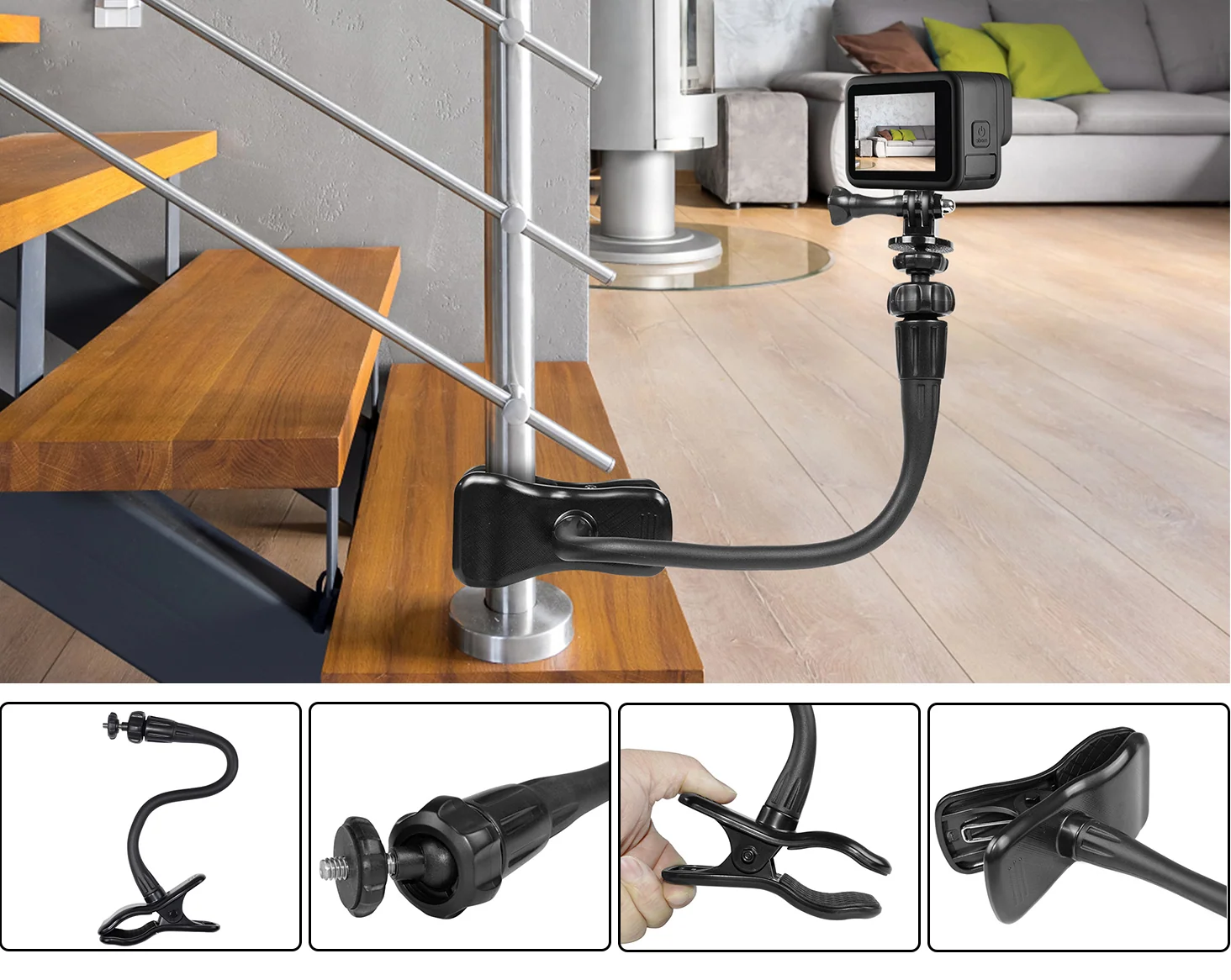
Most camera mounts ask you to pick a spot first. A clamp mount works the other way around. Find something solid, clip on, and bend the arm to the angle you want.
That freedom opens up shots you’d normally skip. Here are seven ways to use the HSU Flexible Clamp Mount with 35.5cm Long Arm, from desk setups to campsites.
Quick Look at the Mount
Before the ideas, a few specs that shape what’s possible:
- Arm length: the gooseneck extends up to 13.98 inches (35.5cm)
- Clamp opening: up to 1.8 inches (4.6cm) wide
- Angle control: double 360° ball head
- Thread: universal 1/4″-20 screw for compact cameras, webcams, and GoPro cameras
The clamp fits surfaces up to 1.8 inches thick. Check the thickness of your spot before you buy or set up.
1. Overhead Shots at Your Desk
Clamp the mount to the edge of your desk and bend the arm over your work. The camera looks straight down, so viewers see your hands, notes, or sketches clearly.
This works well for drawing, journaling, unboxing, and tutorial videos. No stack of books needed.
2. Hands-Free Cooking Videos
Kitchen counters are crowded. A clamp frees up space by lifting the camera above the mess.
Clip it to a shelf or counter edge and angle the camera toward the pan. Keep it away from steam and splashes, and your hands stay free for the actual cooking.
3. Light Stand Upgrade
If you already own a light stand, you have a camera stand too. Clamp the mount to the pole and add a camera next to your light.
It’s a quick way to get a second angle without buying a new tripod. Make sure the stand is stable and the camera setup stays light.
4. Workshop and DIY Projects
Woodworking, repairs, and model building all look better from above. Clamp the camera to a workbench or board and film your process from start to finish.
It’s also handy for time-lapses. Set the angle, press record, and get on with the project.
5. Camping and Picnic Tables
A table edge or a pole can hold the camera at the campsite. Point it at your cooking setup, your gear layout, or the fire.
Keep the arm short on breezy days. Less extension means less wobble.
6. Railings and Pipes
Found a sturdy railing or pipe that fits within the clamp? Use it as a ready-made mount. This helps for static shots where you want a different view without carrying a full tripod.
Always check that the surface is solid and the grip is tight before you walk away from the camera.
7. Streaming and Webcam Setups
The 1/4″-20 thread also fits many webcams. Clamp the mount to your desk and position the camera just above eye level.
You can move it out of the way when you’re done, so it doesn’t permanently take over your workspace.
Tips for Getting a Steady Shot
- Choose a firm surface. Wobbly spots mean wobbly footage.
- Keep the load light. Gooseneck arms suit compact cameras best.
- Use less arm when possible. A shorter reach is steadier.
- Tighten both ball heads once you set the angle.
- Run a short test clip before you start the real take.
Common Questions
Does it work with a GoPro? Yes, with the right adapter. The mount uses a standard 1/4″-20 screw, and some GoPro models need a small tripod adapter. The FAQs page covers common fit questions.
How thick can the surface be? The clamp opens up to 1.8 inches (4.6cm).
What’s included? One flexible clamp mount. Cameras are sold separately.
Final Thoughts
A clamp mount turns ordinary objects into camera stands. A desk, a shelf, a pole, or a table edge can all become a filming spot in seconds.
If one of these ideas fits your next project, the HSU Flexible Clamp Mount is worth a look. For more mounting ideas, browse the HSU blog. Planning an order? The Shipping Policy page lists delivery details.