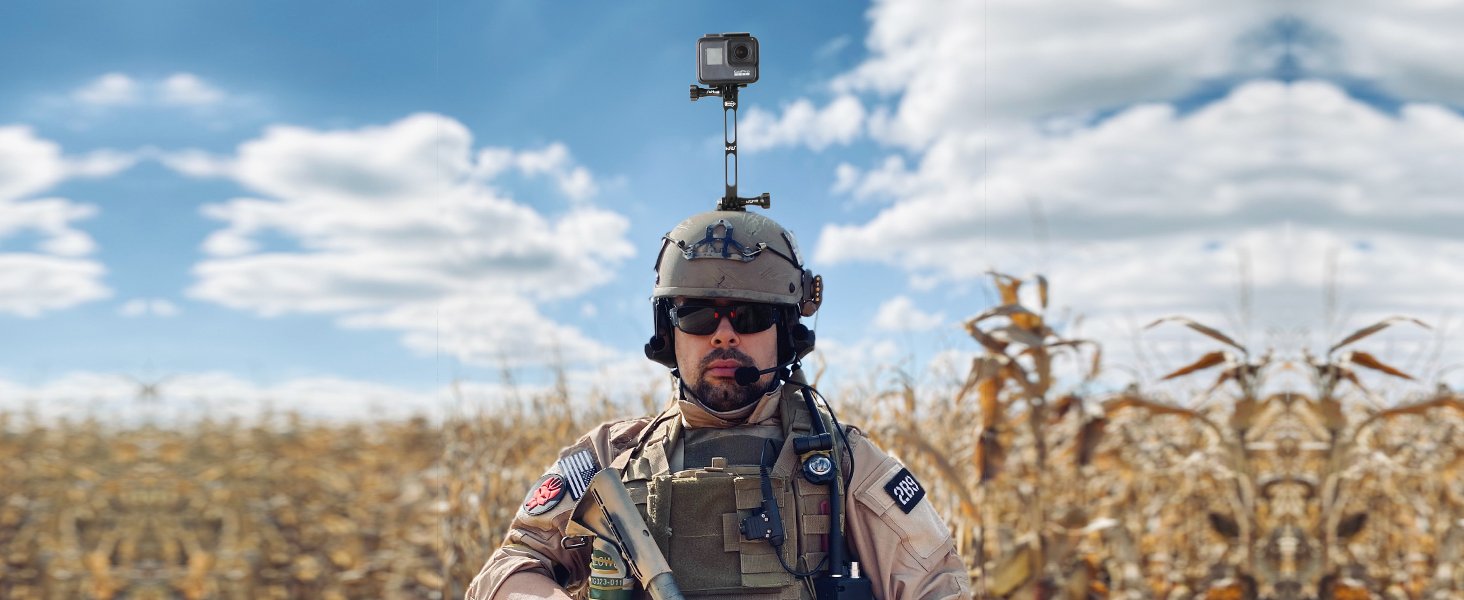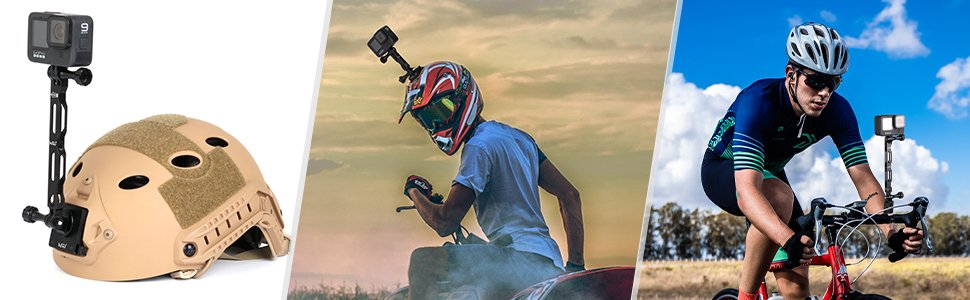
Ride footage has a reputation for looking either spectacular or unwatchable, and the difference often comes down to something small: where the camera sits and how rigidly it’s held. A GoPro stuck flush against a helmet or handlebar shows a lot of helmet, a lot of handlebar, and not much road. Move the camera a few inches away with an extension arm, and the same ride suddenly looks like the clips you see in edited videos.
At HSU we design and test mounting hardware for cyclists and riders, and most of the questions we get about extension arms aren’t about whether to use one. They’re about which length to pick, how to put the pieces together so nothing rattles loose at speed, and how to keep it that way. This guide covers all three, using our own Aluminum Alloy Extension Arm Set as the example. If you want the deeper explanation of why aluminum and hollow design matter, we cover that in our guide to aluminum extension arms.
What’s in the Set
The set is built around three arms of different lengths, so you can build several setups from one purchase:
- One 11.8″ arm for the longest reach
- One 6.5″ arm for medium distance
- One 3.3″ arm for a short offset
- Three aluminum screws to join the pieces
- One aluminum wrench to tighten the screws at each connection
The arms are aluminum alloy, which resists rust and holds its shape better than plastic. They’re also hollow, which cuts wind resistance while riding, a detail that matters more than it sounds once you’re moving at cycling speeds.
Why Riders Use an Extension Arm
- Cleaner framing. Pushing the camera forward and up gets the helmet or handlebar out of the shot and shows more of the trail or road ahead.
- A different point of view. The same ride looks completely different from a camera held high and forward than from one mounted at chest height.
- Less wind noise and buffeting when the arm is rigid. A stiff, hollow arm reduces the flutter that makes ride footage look shaky.
- Flexible positioning. Three lengths let you test setups on the same ride without buying extra hardware.
Which Arm Length for Which Setup
| Setup | Suggested Length | Why |
|---|---|---|
| Handlebar, front-facing view | 3.3″ or 6.5″ | Moves the camera clear of the stem and cables without adding much leverage |
| Helmet, forward-up angle | 3.3″ or 6.5″ | Keeps weight and leverage low on your head |
| Helmet or bar, selfie-style rear-facing shot | 6.5″ to 11.8″ | Needs more distance to capture you and the trail behind |
| Stacked arms for a custom angle | 3.3″ + 6.5″ | Two shorter arms joined at an angle often give better framing than one long straight arm |
A useful rule: start with the shortest arm that solves your framing problem. Longer arms add leverage, which means more vibration at the camera and more strain on the mount.
How to Assemble It So Nothing Loosens
- Plan the setup before you tighten anything. Hold the pieces together and check the angle you want. It’s easier to adjust loose parts than to unscrew a tight assembly.
- Join the pieces with the aluminum screws. Thread each screw in by hand first so you don’t cross-thread the aluminum.
- Tighten with the wrench, firmly but not with all your strength. Aluminum threads are softer than steel. Snug and secure is the target; forcing it can strip the thread.
- Attach the camera and check for play. Grip the camera and try to wiggle it. Any movement means a joint isn’t fully seated.
- Do a test ride on a familiar route first. Check footage for wobble before you rely on the setup on a long or important ride.
Keeping Screws Tight on the Trail
Vibration is the main enemy of any bike-mounted accessory. Over a bumpy ride, even well-tightened screws can slowly work loose. A few habits help:
- Check every connection before each ride, especially after rough terrain.
- Carry the included wrench in your pack so you can re-tighten mid-ride if needed.
- If a joint keeps loosening, consider whether the arm is longer than it needs to be. A shorter arm puts less rotational force on the screw.
- Never leave a screw half-tightened “to adjust later” on a moving setup.
Safety Considerations
Anything that sticks out from a helmet or handlebar is something that can catch or strike during a fall. Use the shortest arm that gives you the framing you want, avoid extending past your helmet’s profile unnecessarily, and think carefully before mounting a long arm on a helmet for aggressive off-road riding. Check your helmet manufacturer’s guidance on attaching accessories, since some advise against adding anything to the shell.
Frequently Asked Questions
Which cameras does this fit?
The set is designed for GoPro Hero 13 through 5 Black and DJI Osmo Action cameras, and the standard action camera interface also fits many other brands. Check your specific model’s mount type before buying.
Will the arms rust if I ride in the rain?
Aluminum alloy resists rust, so rain and sweat aren’t a problem. Wipe the set down after wet or muddy rides and let it dry, which also helps keep the screw threads clean.
Can I use two or three arms together?
Yes. The set is built to be combined, and stacking shorter arms at an angle is a common way to fine-tune framing.
Does a longer arm always give better footage?
No. A longer arm captures a wider view but amplifies vibration and adds leverage. Most riders end up preferring the shorter lengths for everyday use.
Why does the wrench matter?
Because the connections are what hold the whole assembly rigid. Being able to tighten them properly, and re-tighten on the trail, is what keeps the footage stable ride after ride.
Final Thoughts
An extension arm is a small change that makes a visible difference in ride footage. The details that decide whether it works are simple: choose the shortest arm that solves your framing, assemble it so every joint is tight, and check it before each ride. Get those habits right and the arm fades into the background, leaving you with the wider, steadier shots you were after.
About the author: This guide is written and maintained by HSU’s product team, who design and test mounting hardware for GoPro, DJI Osmo Action, and other action camera systems. Notes are based on hands-on product testing and are updated as camera generations and accessory standards evolve.