Action Camera Accessories Buying Guide: What You Actually Need (and What You Don’t)
Buying an action camera is the easy part. The accessories are where most people either build a setup that just works for years, or end up with a drawer full of mounts they never use.
At HSU we’ve spent over a decade designing and testing mounting hardware, batteries, and protective gear for GoPro, DJI, Insta360, and other action cameras, and we’ve watched the same mistakes happen over and over: buying a cheap adapter that snaps on the first hike, picking a “waterproof” case that isn’t rated for the depth someone actually dives to, or discovering — after the trip — that a battery isn’t compatible with their camera’s firmware.
This guide breaks down the accessories that genuinely improve your footage and the ones you can skip, organized by what problem each one solves rather than by marketing category.
How to Use This Guide
Rather than listing every accessory on the market, we’ve grouped them by the question they answer:
- How do I attach the camera to something? → Mounts & mounting accessories
- How do I keep it running all day? → Batteries & power
- How do I keep it alive in rough conditions? → Cases & protective housing
- How do I keep footage steady? → Grips, poles & stabilization
- How do I improve image quality? → Lenses & filters
- How do I store and manage footage? → Memory & transfer
Work through these in order — mounts and power are non-negotiable for almost everyone; lenses and filters are for people who already have the basics dialed in.
1. Mounts & Mounting Accessories
This is the accessory category that determines whether you actually get the shot. A great camera on the wrong mount produces shaky, misframed, or completely missed footage.
What to check before buying a mount:
- Mount standard compatibility. Most action cameras (GoPro, SJCAM, AKASO, DBPOWER, and many others) use the same two-pronged “GoPro-style” mount. A handful of cameras (some Insta360 and DJI models) use a different bracket and need an adapter. Confirm your camera’s mount type before ordering — this is the single most common return reason.
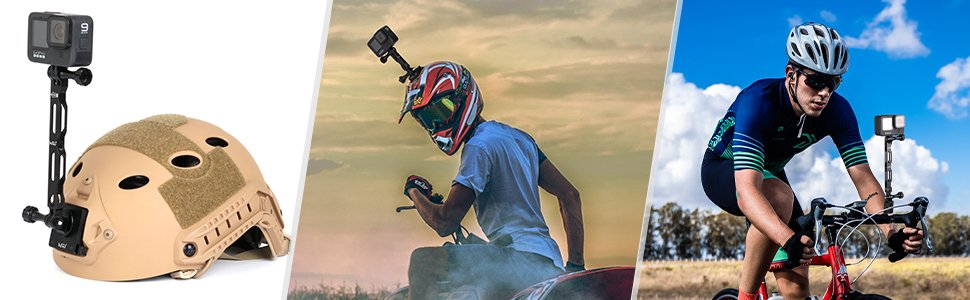
- Material and load rating. Plastic mounts are fine for helmets and handlebars at normal speeds. For motorsports, higher-speed cycling, or anything with sustained vibration, look for reinforced nylon or aluminum-alloy arms, since repeated vibration is what causes cheap plastic thumbscrews to strip.
- Adjustability. A 3-way pivot arm or ball-head adapter lets you angle the camera after mounting instead of re-positioning the whole mount — worth it for anything you’ll wear rather than stick to a fixed surface.
- Surface type. Suction mounts need a smooth, curved, non-porous surface (car body, boat hull, smooth helmet shell). Adhesive mounts work on flatter, textured surfaces like a bike frame or surfboard deck. Clamp mounts (handlebar, backpack strap) are the most versatile if you switch setups often.
Common mount types and what they’re actually good for:
| Mount Type | Best For | Watch Out For |
|---|---|---|
| Chest harness | POV hiking, running, water sports | Can look “bobble-headed” on footage if straps are loose |
| Head strap | POV where you need to look where you’re filming | Less stable than chest mounts at speed |
| Suction cup | Cars, boats, motorcycles | Needs a clean, curved, smooth surface; check the max speed rating |
| Handlebar/bike mount | Cycling, motorcycling | Vibration over time can loosen thumbscrews — check periodically |
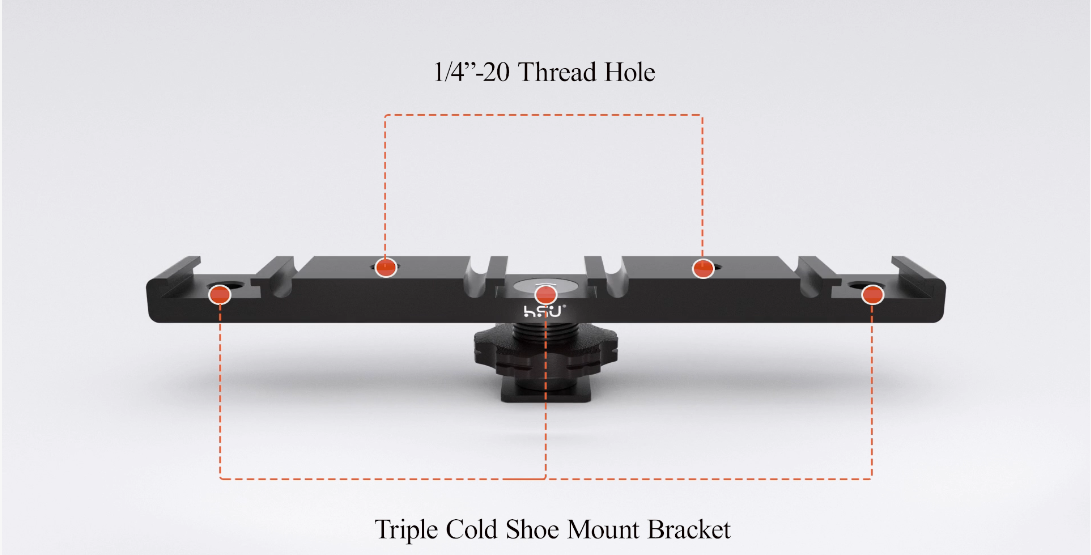
| Tripod adapter | Static shots, vlogging, timelapses | Not useful alone; needs a tripod or monopod to attach to |
| Helmet mount (curved/flat) | Skiing, cycling, motorsports | Match curved vs. flat base to your helmet shape |
2. Batteries & Power
Nothing ends a shoot faster than a dead battery, and this is usually the very first accessory serious users buy after the camera itself.
Key considerations:
- Firmware compatibility. Camera manufacturers update firmware periodically, and third-party batteries occasionally lose compatibility until they’re updated to match. Buy from a source that documents which camera generations and firmware versions a battery supports, and stick to reputable third-party brands or OEM batteries.
- Actual capacity vs. advertised capacity. mAh ratings on cheap batteries are sometimes inflated. Genuine capacity affects real-world shooting time more than the number on the box.
- Charging setup. A dual or triple-bay charger lets you top up spares while one battery is already in the camera — far more practical for a full day out than swapping and waiting.
- Cold-weather performance. Lithium batteries lose capacity in cold conditions. If you’re shooting snow sports, keep spares in an inner jacket pocket rather than the camera bag, and expect shorter run times than you’d get at room temperature.
3. Cases & Protective Housing
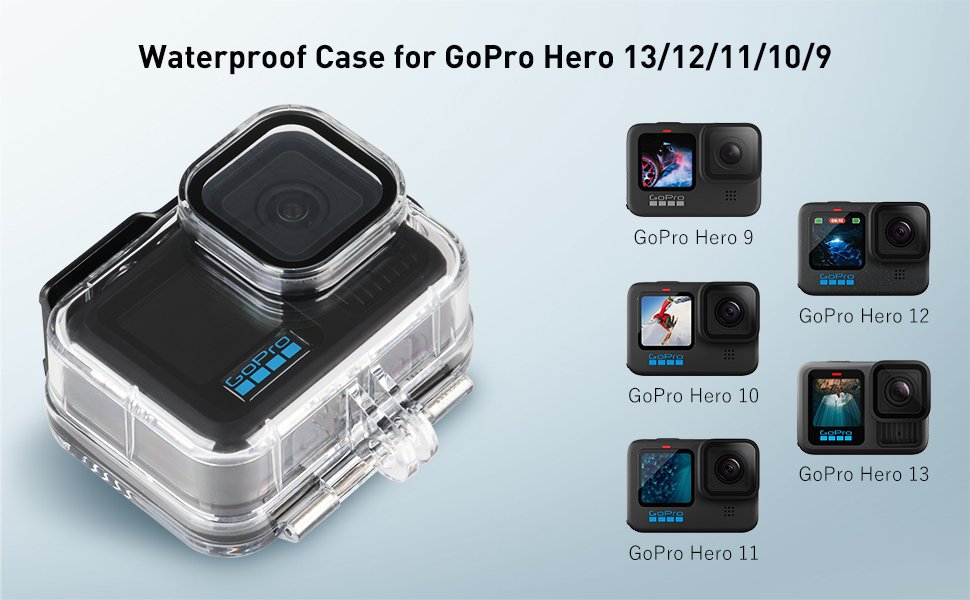
“Waterproof” is not one fixed spec — it’s a depth rating, and mixing that up is the most expensive mistake in this category.
- Depth rating matters. A camera’s built-in waterproofing (often rated to around 5–10 meters) is fine for swimming or light snorkeling. Scuba diving beyond that depth requires a dedicated dive housing rated for the depth you’re actually going to.
- Impact protection vs. water protection are different jobs. A silicone sleeve or frame case protects against drops and scratches but usually isn’t fully submersible. A hard housing protects against both impact and water but adds bulk and can slightly affect audio pickup and touchscreen access.
- Carrying cases are a separate need from housings. A padded travel case (hard-shell or EVA) protects your whole kit — camera, mounts, cables, batteries — in transit, which matters more than most people expect once they own more than two or three accessories.
- Lens protectors are cheap insurance. A scratched or sand-pitted lens cover is far cheaper to replace than the camera’s actual lens glass, especially for beach, desert, or snow use where airborne grit is constant.
4. Grips, Poles & Stabilization
- Selfie sticks / extension poles put the camera farther from you for wider framing — essential for surfing, skiing, or any solo POV content where a chest or head mount alone crops too tight.
- Floating grips matter specifically for water sports; anything that can sink is a real risk near open water, and a floating handle is the simplest fix.
- Tripods are underrated for action cameras — useful for stable establishing shots, timelapses, and interviews between the action, not just for stills cameras.
- Gimbals/stabilizers are worth the extra cost only if you’re already shooting handheld running or walking footage and finding it too shaky after basic mount and grip choices — for most static or mounted use cases, a gimbal is unnecessary weight.
5. Lenses & Filters
This category is genuinely optional for most users, and it’s where a lot of buying-guide content pads out a list with things beginners don’t need yet.
- ND (neutral density) filters reduce light entering the lens, which lets you use a slower shutter speed in bright conditions — this is what makes water and motion in daylight footage look smooth instead of “stuttery.” Useful mainly for anyone shooting in bright sun who cares about motion blur quality.
- Polarizing filters cut reflections off water and wet surfaces — genuinely useful for surfing, kayaking, or diving footage where glare is a problem.
- Wide-angle/macro add-on lenses change the field of view but can introduce distortion; worth it for a specific creative look, not a default purchase.
6. Memory & Transfer
- Card speed class matters more than capacity for 4K/high-frame-rate footage. Check your camera’s minimum recommended write speed before buying; a card that’s technically large enough but too slow can cause dropped frames or recording stops.
- Carry at least two cards. A card failure mid-trip with no backup is one of the more common ways people lose an entire day’s footage.
- A dedicated card reader speeds up backups significantly compared to plugging the camera in directly, especially when offloading footage daily on a multi-day trip.
Buying by Activity: Quick Reference
- Diving/snorkeling: depth-rated housing, floating grip, wide-angle consideration, spare battery
- Cycling/motorcycling: vibration-resistant handlebar mount, aluminum-alloy arms over plastic, lens protector
- Skiing/snowboarding: helmet mount, spare batteries kept warm, lens protector against snow spray
- Vlogging/POV walking content: chest or head mount, extension pole for wider framing, tripod for static shots
- Travel/general use: hard-shell carrying case, dual-bay charger, 2+ memory cards, universal mount adapter
Frequently Asked Questions
Do I need an official-brand battery, or is a third-party one fine?
A reputable third-party battery is generally fine as long as it’s documented as compatible with your specific camera model and current firmware. The risk isn’t the brand itself — it’s buying from a seller that doesn’t specify compatibility clearly.
What’s the single most important first accessory to buy?
For most people it’s a spare battery, followed closely by a mount that matches the activity you shoot most often. Everything else is an upgrade on top of those two basics.
Is a case necessary if my camera is already rated waterproof?
It depends on depth and impact risk, not just water exposure. Built-in waterproofing typically covers swimming and rain; it usually doesn’t cover deep diving or repeated hard drops, which is what a dedicated housing or protective case is for.
Can I mix accessory brands with my camera brand?
Yes, as long as the mount standard matches (most cameras use the GoPro-style two-prong mount, sometimes with an adapter). Compatibility depends on the mount interface, not the brand name.
Final Thoughts
The accessories that matter most are the boring ones: a mount that fits your activity, a battery that lasts the day, and protection matched to the actual conditions you shoot in. Everything past that — filters, gimbals, specialty lenses — is worth adding once you know exactly what your current setup is missing, not before.
If you’re putting together a kit from scratch, start with one solid mount for your primary activity and a spare battery, then build outward from there based on what you actually run out of on your next few trips.
About the author: This guide is written and maintained by HSU’s product team, who source, test, and fit-check mounting hardware, batteries, and protective accessories for GoPro, DJI, Insta360, and other action camera systems. Compatibility notes are based on hands-on testing with current camera generations and are updated as manufacturers release new models and firmware.